Choosing the right spooky Halloween fonts for flyers and posters isn’t about picking the scariest-looking typeface it’s about matching tone, readability, and purpose. A flyer for a neighborhood pumpkin carving party needs something fun and legible at arm’s length. A poster for a haunted house attraction can go bolder, more textured, or even unsettling but only if it still communicates key details like date, time, and location.
What does “spooky Halloween fonts for flyers and posters” actually mean?
It means display fonts designed to evoke Halloween themes think jagged edges, cracked textures, dripping effects, or vintage horror lettering while staying functional in real-world print and digital signage. These aren’t body text fonts. They’re used for headlines, event names, and short attention-grabbing phrases. You’ll find them labeled as “Halloween display fonts,” “spooky decorative fonts,” or “horror-themed typefaces.” They’re meant to be seen quickly, not read in paragraphs.
When do people actually use these fonts?
You reach for them when designing physical or digital materials that need instant seasonal recognition: school event flyers, local business window posters, haunted trail banners, or social media graphics for a costume contest. If your audience is scanning a bulletin board or walking past a storefront, the font helps signal “this is Halloween-related” before they even read the words.
What’s the difference between spooky fonts for flyers versus posters?
Flyers often get printed small (like half-sheet handouts) or shared on phones, so clarity matters more than extreme texture. A slightly distressed but well-spaced font like Nightmare Before Christmas Font works well there. Posters have more space and distance so you can use heavier effects, like cracks or drips, without losing legibility from 6 feet away. That’s why many designers choose Blood Drip Display Font for large-format prints.
Common mistakes people make
- Using overly complex fonts for full sentences especially in small sizes. “Zombie Bloodbath” looks great on a poster headline, but terrible for “Tickets $10 • Oct 26–31 • Rain or Shine.”
- Forgetting contrast. Black text on dark purple background might look moody, but it’s hard to read under fluorescent hallway lights.
- Ignoring licensing. Some free Halloween fonts are only for personal use. If you’re printing 500 flyers for a town event, check the license first.
- Pairing two highly decorative fonts together like using a dripping font for the headline and a cursive spooky font for the subhead. It competes instead of complements.
How to pair spooky fonts effectively
Stick to one strong display font for the main headline, then pair it with a clean, neutral sans-serif (like Montserrat or Open Sans) for all supporting text. For example, use a bold, cracked font for “HAUNTED HAYRIDE” and plain Arial for “Every Friday & Saturday • 7–11 PM • Tickets at the Gate.” If you want elegance with edge, consider cursive Halloween fonts for elegant spooky branding they add flair without sacrificing sophistication.
Where to find reliable spooky Halloween fonts
Reputable marketplaces like Creative Market or Creative Fabrica list fonts with clear usage terms, previews in real contexts (not just isolated letters), and user reviews mentioning print performance. Avoid random “free font” blogs that don’t show how the font behaves in all caps, at different sizes, or with numbers. You’ll also find curated collections like spooky Halloween fonts for flyers and posters, sorted by use case not just style.
What about dripping blood or grunge effects?
They work best when used sparingly and intentionally. A single drip on the tail of a “Y” in “HALLOWEEN NIGHT” adds character. Applying it to every letter in “TICKETS AVAILABLE” makes it messy and hard to parse. For high-impact dripping options, check out Halloween display fonts with dripping blood effect these are tested for legibility and come with alternate characters to avoid overuse.
Before finalizing your design: Print a test copy at actual size, step back 6 feet, and ask yourself can you read the date and location in under 3 seconds? If not, simplify the font choice or increase spacing. Then double-check file formats: use vector (SVG or EPS) for large posters, and web-safe OTF/TTF for digital flyers.
Get Started Spooky Party Fonts for Kids
 Crafting Elegant Halloween Branding with Cursive Fonts
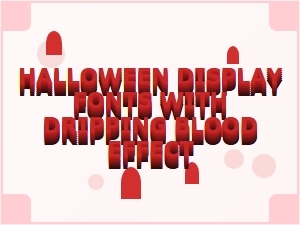 Halloween Display Fonts Featuring Dripping Blood Effects
 Stranger Things-Inspired Spooky Display Fonts for Halloween
 Sweet Halloween Scripts for Instagram Stories
 Spooky and Sweet Hand-Lettering Halloween Fonts